Remembering stories? Just write!

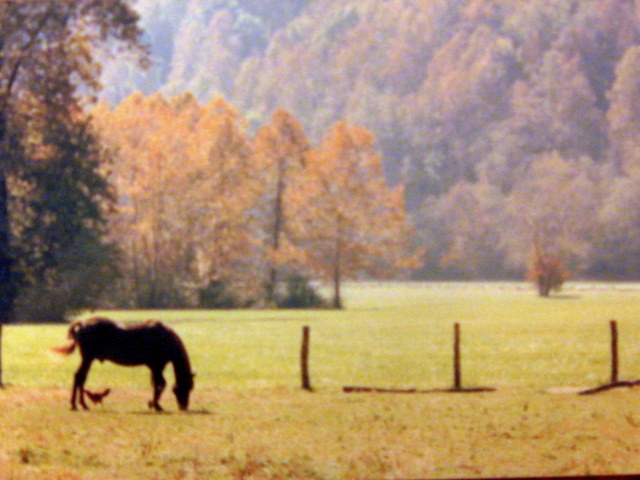
At church today, Pastor Sue told one of her wonderful stories about her grandparents’ farm in West Virginia. Sue is a great storyteller, so I could just see the big, plodding white horse, “Old Dick,” standing patiently while being harnessed to the hand-held plow, then working as a team with Sue’s grandfather who shouted “gee” and “haw” while steering his old friend through the fields. No reins were needed, the horse knew what was expected through years of work. The grandparents may have been poor subsistence farmers growing the “tobaccy” cash crop while keeping an acre or so planted for vegetables that would be put up to keep them through the winter, but they were rich in stories of the culture of that time and place. Obviously they made an impression on their granddaughter, and are now making an impression on the members of our church.
Still basking in the beauty of that story of old-time plowing, reminding us to hitch ourselves to Jesus and plow love, I asked Pastor Sue after the service when her memoir was going to be finished. And, like most people, she hadn’t really thought about actually writing down those stories about her grandparents. She even has quite a story about herself.

Start writing NOW! Most of us can use a computer to type, but even hand-writing the stories into a notebook or journal is more than fine. My stepmom has been typing her memories as they come to her, sending them out as emails to her family. Hopefully she will collect them into a book of essays, adding scanned photos and maybe a list of important family dates. How simple is this? No excuses, anyone can do it. So get going. Just write!
Posted in capturing memories, memoir writing | Comments Off on Remembering stories? Just write!

Windows Movie Maker makes you look professional

I’ve had too many projects on my plate lately so this blog has sat by the wayside. One of my projects this weekend is beginning the edit process on four tapes of a life story interview. My subject is a 90-year-old Japanese-American woman who was interned in Arkansas during WWII and returned to Japan as a “foreigner” immediately after the War. Editing something this long is a very tedious chore, and I’ve procrastinated on the project for quite awhile. Fortunately, this woman is a born storyteller so hearing pieces of her story over and over again hasn’t been too mind-numbing for me, and, fortunately, I know how to wield the magic of Windows Movie Maker.

You, too, probably have Windows Movie Maker on your computer. Macs have their own version called iMovie. These programs allow you to easily clip pieces out of a video, paste them in any order, add interesting transitions between clips, and add music. My video camera (the old-fashioned kind using mini tapes) comes with editing software which I use to roughly cut clips out of longer recordings and move into a folder in the My Videos file. Short clips can be moved whole. I also move into that folder any still photos I want to use along with mp3 music clips. The .avi video clips, digital photos (or jpg scans), and music can then be imported into a new Windows Movie Maker file. In Show Storyboard mode, drag the pieces into order, choose transitions and special effects, and add a title page. In Show Timeline mode, video can be trimmed from front or back, the length of viewing of each photo can be set. Finally, drag music to wherever you wish, change volume if needed, trim the clip from front or back to fit with the video as desired. Don’t forget to Save Project periodically while you are working on it. When all is set, Save as a Movie. You can upload this to YouTube or your website (or blog) or make a DVD.

I’ve become addicted to making movies and have a number of them on YouTube. St. Louis should pay me for making commercials of area attractions. I made the Cherry Blossoms in Twilightbook trailer on my website. But, the best use of Movie Maker is capturing fun times and life stories and sharing them with others in a very attractive format.

Posted in capturing memories | Tagged | 3 Comments

My Sister’s Keeper and the scrapbook filled with memories

For those who saw the movie My Sister’s Keeper, didn’t you love the scrapbook young Kate made for her family? The dying girl pasted up a scrapbook so filled with photo cutouts you could hardly see the background paper and added comments so bare that yet pulled strings of memories and feelings out. This is a movie and obviously the scrapbook was professionally done, but we can sure take away some ideas from it.

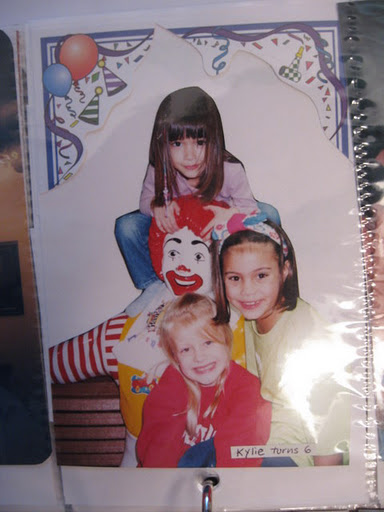
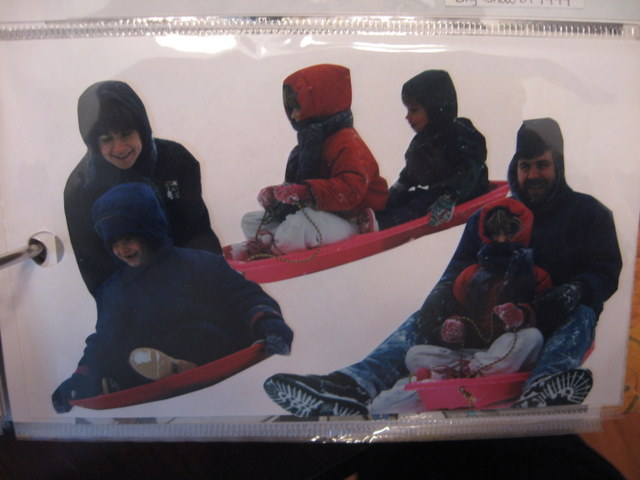
Everyone has their own style of scrapbooking, but those with tidy or sparser styles may like to experiment with that collage look. After all, a scrapbook only has so many pages, why not fill them to the max? Kate’s pages carried many photos of one theme on one page. She had a set of pages devoted to each member of her family. Many of the photos were close-ups with the backgrounds cut out to focus on faces. The result was a fun circus of eye candy and a sweet remembrance of laughter and tears.

Kate’s scrapbook was meant for her immediate family with whom she experienced all of her short life’s events with, so she did not have to add the where and when details. The comments she added were sparse and poignant, but they were all that was needed. Most scrapbooks are done to capture memories of children who might forget, of family events to permanently preserve them, perhaps for generations, so the details need to be added. But, that shouldn’t stop us from filling around the facts, the stories, the written down feelings.

The movie My Sister’s Keeper may be controversial because the ending is different from the book, and because it just doesn’t seem very realistic, but if you rent or buy it, do a freeze-frame and take a long look at how the scrapbook was done. Maybe you’d like to take notes for the next time you scrapbook, or perhaps use some of those techniques in photo albums – think of each slot for a photo as a tiny scrapbook page. Don’t over do it, just do what you want for your taste.

Posted in Uncategorized | Comments Off on My Sister’s Keeper and the scrapbook filled with memories